Robust OTA Upgrade
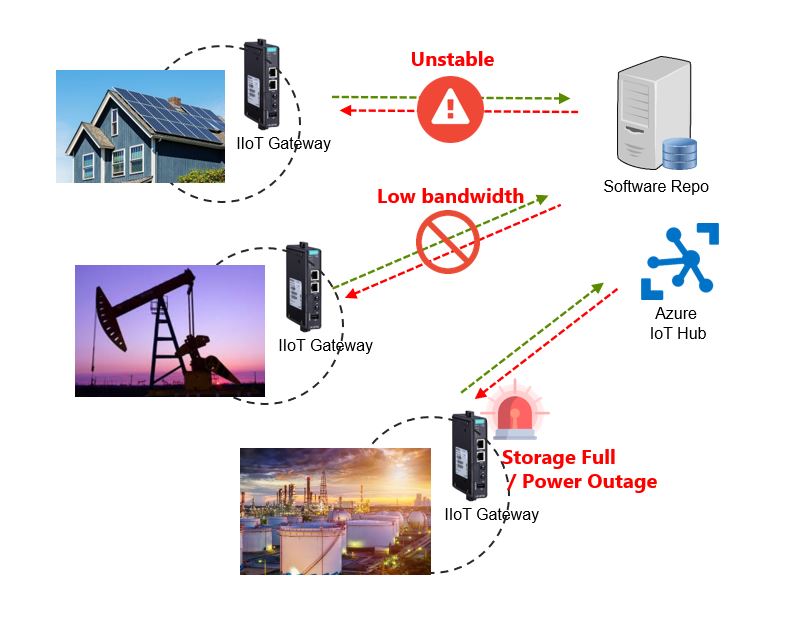
- Download and install
- Resume download from the last breakpoint
- Redundant BIOS and Linux Kernel
- Guaranteed download completion before starting the upgrade
- Built-in security
- Mutual X.509 certificate authentication between IIoT gateways and services
- Encrypted communication between IIoT gateways and services
- Manage from the Azure portal
- Trigger OTA upgrade command from Azure IoT Hub
- Continuous reporting of the upgrade progress to Azure IoT Hub.
- Intelligence
- Self-evaluation check before performing an upgrade process to ensure that the conditions permit an upgrade.
- Auto rollback to the last wellpoint if an installation process failed. For example, an power outage. NOTE: For this feature, you must enable the "take snapshot" function, which is disabled by default.
Upgrading the ThingsPro Edge
To upgrade the ThingsPro Edge with Moxa's software packages, click General Operation > Software Upgrade. There are two ways to upgrade ThingsPro Edge: Upgrade from the local drive or Download it over-the-air.
Upgrade from the local driver
Select the software package file in *.deb file format on your computer.
Download it over-the-air
Specify the URL for your repository or trusted source to download the software packages (*.yaml) from.
Note that if your repository or trusted source requests a signed certification, please put the certificate in the ThingsPro Edge and ensure the contents of the certificate , Alt Name and Common Name, are presented before starting the upgrade. More information about Set upgrade configuration.
Last updated on 2022-05-18 by Aeluin Chen (陳映攸)